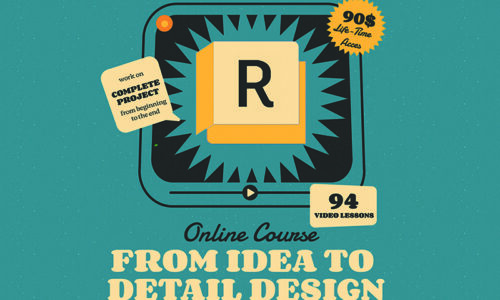
Learn how to develop a project from concept to final design using Autodesk Revit. Ideal for beginners, but valuable for anyone looking to build a solid foundation.
By the end, you’ll know how to take a design from concept to detail documentation with confidence and clarity and gain a solid Revit workflow you can actually use independently or work in larger teams in architectural studios.
Curriculum
- 26 Sections
- 94 Lessons
- Lifetime
- Getting StartedThis lesson is introduction to the course and software installation2
- Introduction to RevitThis section introduces the Revit interface, essential navigation tools, and basic project setup. Learners will gain a solid understanding of the Revit environment and core concepts needed to begin creating BIM models.9
- Setting Up The ProjectYou will learn to accurately set up coordinates, define essential project parameters, master precise model positioning and model terrain to prepare your site for design.6
- Grids, Levels and PlansCreating and managing grids for layout, defining levels to establish vertical heights, and generating accurate floor plans to represent each building story.4
- Modeling the Structure7
- Modeling Basic WallsThis section delves into the process of creating and modifying basic walls in Revit. You will learn to define wall properties, apply different wall styles, and accurately place and adjust walls within your architectural model.8
- Curtain WallsThis lesson focuses on the specialized creation and customization of curtain wall systems in Revit. You will learn to design complex glazed facades, define grids, add mullions, and integrate various panel types to achieve sophisticated building envelopes.4
- Doors, Windows and PartsThis lesson covers the essential techniques for inserting, modifying, and managing doors and windows within your Revit model. You will also learn to model and divide walls using "Parts" tool.3
- Floors, Flat Roofs and CeilingsThis section focuses on creating and modifying horizontal building elements. You will learn to define and sketch floor boundaries, design and apply various flat roof types, and accurately model ceilings, contributing to the complete internal and external structure of your project.4
- Sloped RoofsThis lesson explores the creation of complex sloped roofs. You will also learn to model the underlying structural components using beam systems.5
- The StairsThis lesson provides a comprehensive guide to creating and customizing stairs and ramps in Revit. You will learn to design various stair types, adjust their properties, and incorporate railings and supports to meet specific design and code requirements.8
- FamiliesThis section introduces the concept of Revit families, the building blocks of all elements in your model. You will learn to load, modify, and create custom families with various types of parameters. We will also cover the basis of the conceptual masses.7
- Rooms and AreasThis lesson covers how to define and manage rooms and areas within your Revit model. You will learn to tag spaces, calculate areas, and use this information for scheduling and color schemes.8
- Schedules of Quantities and Shared ParametersThis section teaches you how to extract vital project information using schedules to quantify elements and materials. You will also learn to create and utilize shared parameters to add custom data to your model elements, enabling more detailed reporting and flexible data management.2
- PhasingThis section covers the core principles of project timelines, teaching you how to categorize elements as Existing, Demolished, or New Construction. You will learn to use Phase Filters and Graphic Overrides to automatically generate professional renovation and proposed plans, ensuring your model accurately reflects the lifecycle of a building.2
- LinkingThis lesson explores how to effectively integrate external data into your Revit projects. You will learn to link CAD drawings for context and reference, as well as link other Revit models for collaborative workflows and comprehensive building assemblies.2
- WorksharingThis section introduces Revit's powerful worksharing capabilities, enabling multiple team members to collaboratively work on the same project model simultaneously. You will learn to set up central models, create local copies, and synchronize changes efficiently for a collaborative workflow.3
- DimensionsThis lesson covers the essential techniques for adding and customizing dimensions in your Revit project. You will learn to create linear, angular, radial, and other dimension types, ensuring accurate and clear annotation for your design documentation.3
- Graphical SettingsThis section focuses on customizing the visual appearance of your Revit model and views. You will learn to control display properties such as line weights, patterns, colors, visibility/graphics overrides, and view templates to create compelling and clear presentations of your design.5
- Annotation ToolsThis lesson explores the various annotation tools in Revit used to convey critical information on your drawings that isn't part of the 3D model. You will learn to add text, tags, symbols, regions and other 2D elements to effectively document your design.4
- Sheets and TitleblocksThis section teaches you how to organize and present your design documentation effectively using sheets and titleblocks. You will learn to create new sheets, place views, customize titleblocks with project information, and prepare your drawings for printing or plotting.4
- DetailingThis lesson focuses on creating precise construction details within Revit. You will learn to use detail components, repeating details, and 2D annotation tools to add specific information and resolve complex areas of your building model for clear documentation.4
- LegendsThis lesson explores the creation and utility of legends in Revit to explain symbols, materials, or components used in your drawings. You will also learn how to generate door legends to visually represent and quantify different door types within your project documentation.4
- Sections and ElevationsThis lesson covers the essential techniques for generating and refining sections and elevations from your Revit model.2
- 3D ViewsThis lesson focuses on creating and manipulating various 3D views of your Revit model. You will learn to generate perspective and isometric views, use walk-throughs, and adjust camera settings to effectively visualize and present your design from multiple angles.6
- Exporting the DrawingsThis final section covers the essential methods for exporting your Revit drawings to various file formats. You will learn how to export to CAD (DWG), PDF, and other common formats, ensuring your project documentation can be shared and utilized by collaborators and clients.4
Instructor

Hi, I’m Nadežda, an architect and BIM specialist with over 10 years of hands-on experience in complex architectural projects. I’m the founder of a BIM-focused architecture studio and have trained professionals and students across different levels to confidently use Revit in their daily work.
I created this course to simplify the learning process and bridge the gap between theory and practice. My teaching style is clear, practical, and beginner-friendly, focusing on real workflows used in architectural offices. Whether you’re new to Revit or looking to solidify your skills, I’m here to guide you every step of the way—with tips, insights, and personal support to help you grow.